
 All vikis
 Aion 2
 Ananta
 ARC Raiders
 ArcheAge Chronicles
 Call of Duty: Modern Warfare 4
 Chrono Odyssey
 Civilization 3
 Civilization 4
 Crimson Desert
 Deadlock
 Diablo 4
 Diablo 5
 Enshrouded
 Fable
 Final Fantasy Resonance
 Football Manager 27
 Grand Theft Auto 6
 Heroes of Might and Magic 3
 Heroes of Might and Magic: Olden Era
 Kingdom Come: Deliverance 2
 Metro 2039
 Path of Exile 2
 Persona 4 Revival
Beginner's Guide
In your first hours of Forza Horizon 6, set assists and difficulty, play through the prologue, finish the six starting events and win the Horizon Invitational for the Yellow Wristband, which opens Wheelspins and the Festival Playlist. Then explore for your first Discover Japan Stamp, which leads to the Yashiki House and The Estate.
In your first hours of Forza Horizon 6, the order is short: set your assists and difficulty, drive the five-part prologue, pick a starter car (you get all three), finish the six starting events, and win the Horizon Invitational for the Yellow Wristband. That band is the key that turns on most of the game: Wheelspins wait for it, the Festival Playlist opens with it, and until then only C class cars may enter Festival events. After that, explore: your first Discover Japan Stamp leads to the Yashiki House and The Estate. This guide takes the opening in that order, with tips from Playground's own First Drive guide (May 15, 2026) and press guides, each credited and dated. The story itself is on Campaign and Story.
Quick facts
| Settings | All assists, difficulty and accessibility options change at any time |
| Difficulty names in reviews | Novice, Above Average, Highly Skilled (among others) |
| Starter cars | 1989 Nissan Silvia K's, 1994 Toyota Celica GT-Four ST205, 1970 GMC Jimmy (you get all three) |
| First goal | Yellow Wristband at the Horizon Invitational |
| Opens with it | Wheelspins, the Festival Playlist, cars above C class |
| Second goal | First Discover Japan Stamp, then the Yashiki House |
| Fast travel | Free |
| Current update | Series 7 City Life (Nov 2, 2026) |
Sources: First Drive, May 15, 2026; progression post, May 12, 2026; Eurogamer review, May 14, 2026; Insider Gaming, May 14, 2026; Series 7 patch notes, Nov 2, 2026.
1. Pick your settings
After the prologue you create your character (editable later) and set assists and accessibility in the Settings menu; Playground stresses that all settings can be changed at any time. Eurogamer's review names difficulty levels including Novice, Above Average and Highly Skilled, with the game suggesting changes by race type, and lists an offline game speed slider, a screen reader and Rewind among the options. If you are new to racing games, start low and raise the difficulty once you win easily; Insider Gaming makes the same point for Wristband progress. Playground itself said after launch that its AI was "sometimes ... too fast to compete with, especially at higher difficulty levels" and rebalanced it on Jun 15, 2026. See Drivatars and Difficulty and Accessibility and AutoDrive.
2. Drive the prologue
The prologue is five set drives across Japan, from a 2024 Nissan GT-R Nismo in Hokubu to the 2025 GR GT Prototype leading a Legend Convoy into the Festival. Playground's one tip is to use the right stick to look around while jumping in the snowy truck race.
3. Pick a starter car (you get all three)
Mei offers a 1989 Nissan Silvia K's, a 1994 Toyota Celica GT-Four ST205 and a 1970 GMC Jimmy, and all three go into your garage. The Celica GT-Four is all-wheel drive, the Silvia rear-wheel drive, and the Jimmy an off-road SUV. Take whichever you like and swap any time from the Car Collection in the Pause menu.
4. Follow Mei to Tokyo City
The drive into Tokyo City passes the Raku-Raku food delivery Job, which you can come back to for extra credits, and Tokyo Tower. The race there, in a borrowed 1998 Nissan Silvia K's Aero, completes the multiplayer unlock (Multiplayer). If you own earlier Forza games, a loyalty car arrives after this race, such as the 2016 Aston Martin Vulcan for Forza Horizon 4 owners (Free Cars and Loyalty Rewards).
5. Finish the six starting events
Open the World Map from the Pause menu. Six events are open, in any order: River Split (Speed Trap), Airfield Trail (Trail Race), Shirakawa Circuit (Circuit Race), Highway View (Speed Zone), Wind Farm Cross Country and Hokubu Time Attack. Each fills the Horizon Festival Points meter in the upper right. Insider Gaming's tip for filling it fast is to win rather than place, since a win adds a bonus, so drop the difficulty if you keep finishing second (May 14, 2026). Event types are on Races and Event Types and PR Stunts.
6. Win the Horizon Invitational
With the meter full, the Horizon Invitational opens. It is raced in a 2020 BMW M2 Competition, and winning gives the Yellow Wristband plus a 2022 Toyota GR86, a 2001 Mitsubishi Lancer Evolution VI GSR TM Edition and a 2024 Ram 1500 TRX. The Festival Playlist opens, with events that rotate weekly, so check it each Thursday. Wheelspins start arriving now; any from VIP that piled up before can be claimed once the Message Center unlocks. The other six bands are on Wristbands.
7. Explore for your first Stamp
Mascots, Street Races, Touge Battles, Car Meets and Time Attack Circuits on the map all count toward Discover Japan, and enough of them earns the first Stamp. PC Gamer calls Stories, the yellow-badged activities, the biggest source of that progress (May 15, 2026). See Collection Journal and Discover Japan and Horizon Stories.
8. Buy the Yashiki House
After the first Stamp, Mei asks you to visit the Yashiki House, her grandparents' abandoned home. KeenGamer lists it at 10,000 CR (May 18, 2026), and buying it unlocks The Estate, a mountain valley you build on. Houses are fast travel points too (Player Houses). With VIP Membership, the Tokyo House is free, and its perk is a daily Wheelspin.
9. Collect cars as you go
- Aftermarket Cars are secondhand cars parked around Japan, matched to your progress, often discounted and open to a test drive.
- Treasure Cars come from Mei's photo clues; the first clue arrives after the first Wristband, per PC Gamer.
- Barn Finds rumors unlock with Stamps.
- The Autoshow sells most cars for credits (Car List, How to Make Money).
Tips the guides agree on
- Fast travel is free. Insider Gaming confirms fast travel has no cost, so use houses and the map freely.
- Bank Skills between events. They count toward Wristbands, and LINK Skills with nearby players count extra (Skills, XP and Wheelspins).
- Play some Horizon Play early. Its first 25 levels add Festival Points.
- Download tunes. You can search for and download other players' tunes and liveries instead of tuning yourself (Upgrades and Tuning).
- Use the class filter. Series 7 added a Garage and Autoshow filter for cars eligible for the current Festival Playlist (Nov 2, 2026).
- Hypercars wait. They are not allowed in Festival races until the Purple Wristband, so save credits rather than buying one early.
Frequently asked questions
What should you do first in Forza Horizon 6? Finish the prologue, then the six starting events, then win the Horizon Invitational for the Yellow Wristband. That opens Wheelspins, the Festival Playlist and cars above C class in Forza Horizon 6.
What are the best settings for beginners in Forza Horizon 6? Start at a low difficulty such as Novice, keep Rewind on and raise the difficulty once you win easily. Forza Horizon 6 lets you change every assist and setting at any time.
Which starter car should you pick in Forza Horizon 6? It barely matters: all three starter cars (the Nissan Silvia K's, Toyota Celica GT-Four ST205 and GMC Jimmy) go into your garage in Forza Horizon 6. You choose only which to drive first.
Why can't I get Wheelspins in Forza Horizon 6? Forza Horizon 6 gives no Wheelspins until you qualify for the Horizon Festival by winning the Yellow Wristband. Earlier spins, such as VIP's, can be claimed once the Message Center unlocks.
Is Forza Horizon 6 hard for beginners? No. Forza Horizon 6 has assists, Rewind, a game speed slider offline and difficulty levels from Novice upward, all changeable at any time. Playground also rebalanced Drivatar difficulty on Jun 15, 2026.
Sources
- First Drive: A Forza Horizon 6 Starting Guide, Playground Games, May 15, 2026
- Meet the Three Pathways of Progression in Forza Horizon 6, Playground Games, May 12, 2026
- Earn Your Gold Wristband and Become a Horizon Legend in Japan, Playground Games, Feb 23, 2026
- Thank You for Playing Forza Horizon 6!, Playground Games, May 22, 2026
- Turn up Your Airwaves with the Horizon Festival's Biggest Line-Up Yet, Playground Games, May 4, 2026
- Embrace the City Life in Forza Horizon 6, Playground Games, Nov 2, 2026
- Series 7 Patch Notes - November 2nd, Playground Games, Nov 2, 2026
- Forza Horizon 6 VIP FAQ, Forza Support, May 14, 2026
- Forza Horizon 6 review, Eurogamer, May 14, 2026
- All Forza Horizon 6 Barn Find locations, PC Gamer, May 15, 2026
- All Forza Horizon 6 Treasure Car locations, PC Gamer, May 15, 2026
- How to Get Wristbands & Level Up Fast in Forza Horizon 6, Insider Gaming, May 14, 2026
- Forza Horizon 6 All Player House Locations, Prices, and Perks, KeenGamer, May 18, 2026
- A Beginners Guide to Forza Horizon 6!, Dec Games, May 18, 2026 (video)
- Forza Horizon 6: The Opening Race (4K 60fps PC Gameplay), IGN, May 14, 2026 (video)
- Forza Horizon 6 Review, IGN, May 14, 2026 (video)
- Forza Horizon 6: Everything You Need to Know Before You Play, IGN, May 14, 2026 (video)
- Buying Every House in Forza Horizon 6 (Insane Bonus Perks!), TmarTn2, May 14, 2026 (video)
Moments
A Beginners Guide to Forza Horizon 6!
Dec Games
Forza Horizon 6: The Opening Race (4K 60fps PC Gameplay)
IGN
Forza Horizon 6 Review
IGN
Forza Horizon 6: Everything You Need to Know Before You Play
IGN
Buying Every House in Forza Horizon 6 (Insane Bonus Perks!)
TmarTn2
Related
- AchievementsForza Horizon 6 has 57 achievements worth 1,000 Gamerscore, the same set on Xbox and Steam, and the PS5 version due Jan 26, 2027 adds a Platinum Trophy. The biggest are Horizon Legend, Master Explorer and The Horizon Cartographer at 50 Gamerscore each.
-
 How to Make MoneyCredits in Forza Horizon 6 come from races, Time Attack laps, Jobs such as the Raku-Raku delivery job, exploration and Collection Journal rewards, Wheelspins, Treasure Hunts and selling cars at the Auction House. VIP Membership doubles race rewards, and house perks add 10% in some event types.
-
 Aftermarket CarsAftermarket Cars in Forza Horizon 6 are secondhand cars parked on driveways and roadsides across Japan, often discounted and sometimes modified or rare, that can be test driven and bought on the spot. A dealership by the Horizon Stadium in Shimanoyama changes its stock with each series.
-
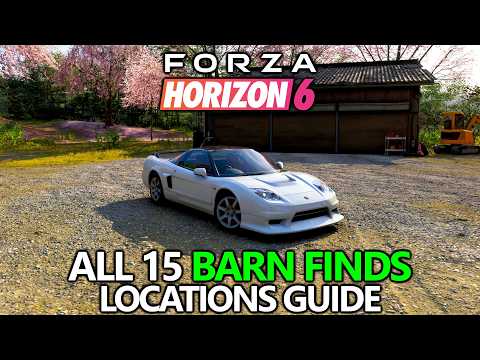 Barn FindsForza Horizon 6 has 15 Barn Finds, by PC Gamer's count, unlocked as rumors when players earn Discover Japan Stamps in the Collection Journal, mostly two per Stamp rank, from a Honda NSX-R GT to the Mazda 787B.
-
 Best CarsThere is no official best car in Forza Horizon 6; the published picks are opinions. Dexerto's tier list puts cars such as the GR GT Prototype, Koenigsegg Jesko, Pagani Huayra R and Mazda MX-5 Miata Forza Edition in its top tier, and names the 1989 Nissan Silvia K's the best starter car.
-
 Car Classes and Performance IndexForza Horizon 6 rates every car with a Performance Index (PI) from 100 to 998 and groups them into seven classes, D, C, B, A, S1, S2 and R, the R class new for track cars. No X class appears on Playground's car list as of Nov 3, 2026.
-
Car ListForza Horizon 6 has 667 cars from 95 makes on Playground Games' published car list as of Nov 3, 2026, up from "more than 550" at launch on May 19, 2026. This page lists every one by manufacturer with its class, PI and how to get it.
-
Car PassThe Forza Horizon 6 Car Pass is 30 cars delivered one a week from May 19, 2026, $29.99 alone or included in the Deluxe and Premium editions and the Premium Upgrade. As of Nov 3, 2026, 28 are named, the last four arriving in November; on PS5 all 30 come at once.
See also
-
 The EstateThe Estate is Forza Horizon 6's building plot, a mountain valley in the north of the map that you unlock by buying the 10,000 CR Yashiki House after your first Discover Japan Stamp. You build on it with EventLab's tools, alone, and share it for others to visit.
-
Campaign and StoryIn Forza Horizon 6 you arrive in Japan as a tourist with no fame, travel with friends Mei and Jordy, qualify for the Horizon Festival and climb seven Wristbands to become a Horizon Legend. A second path, Discover Japan, runs alongside it through the Collection Journal.
-
 Drivatars and DifficultyForza Horizon 6's AI racers are Drivatars, set by a difficulty level that runs from Novice up through levels such as Above Average and Highly Skilled. At launch they were often too fast at high difficulty; Playground rebalanced them on Jun 15, 2026 and cut AI collisions on Jul 13, 2026. Difficulty and assists can be changed at any time.
-
Accessibility and AutoDriveForza Horizon 6 adds three accessibility features to the series, a customizable High Contrast Mode, Car Proximity Radar and AutoDrive, and keeps the earlier ones, from full controller remapping to a screen reader and color-blind modes. American and British Sign Language interpreters for cinematics arrived on Aug 10, 2026.
-
-
MultiplayerForza Horizon 6 is online by default in a Shared World, with Convoys for groups, the whole campaign playable in co-op, and Horizon Play modes including The Eliminator, Hide & Seek, Touge Showdown, Spec Racing, Horizon Racing and Horizon Drift. Cross-play and cross-save cover Xbox, PC and, from Jan 26, 2027, PS5.